A workplace system that runs like a Supervisor

Your team checks in from their phone, talks through the day out loud, and NexWork turns that single recording into separate tasks — each with an owner, a priority and a due date.
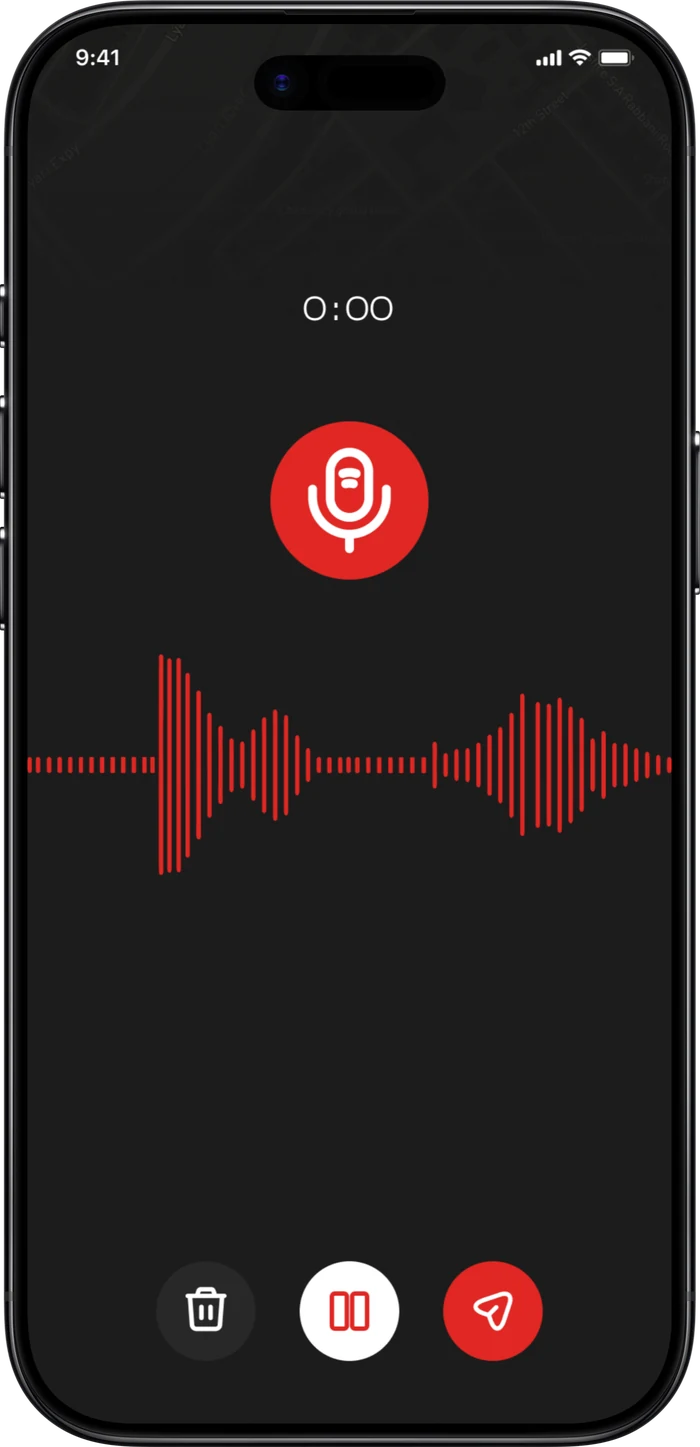
The NexWork mobile recorder: a running timer, a large microphone button, a live waveform, and controls to discard, pause or send the recording.
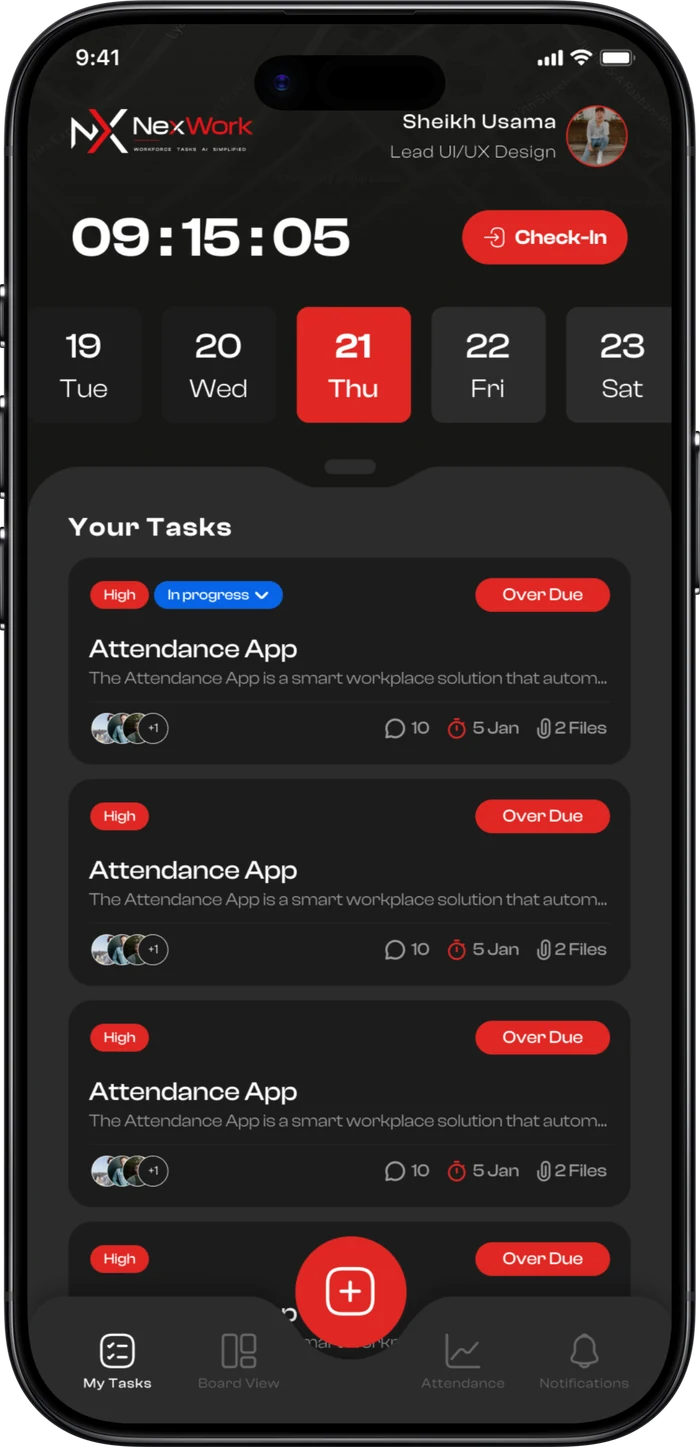
The NexWork mobile home screen: a running 09:15:05 check-in clock, a week strip, and today's task cards with priority, status, assignees, comments, due dates and files.
The web portal

The other half runs on the dashboard

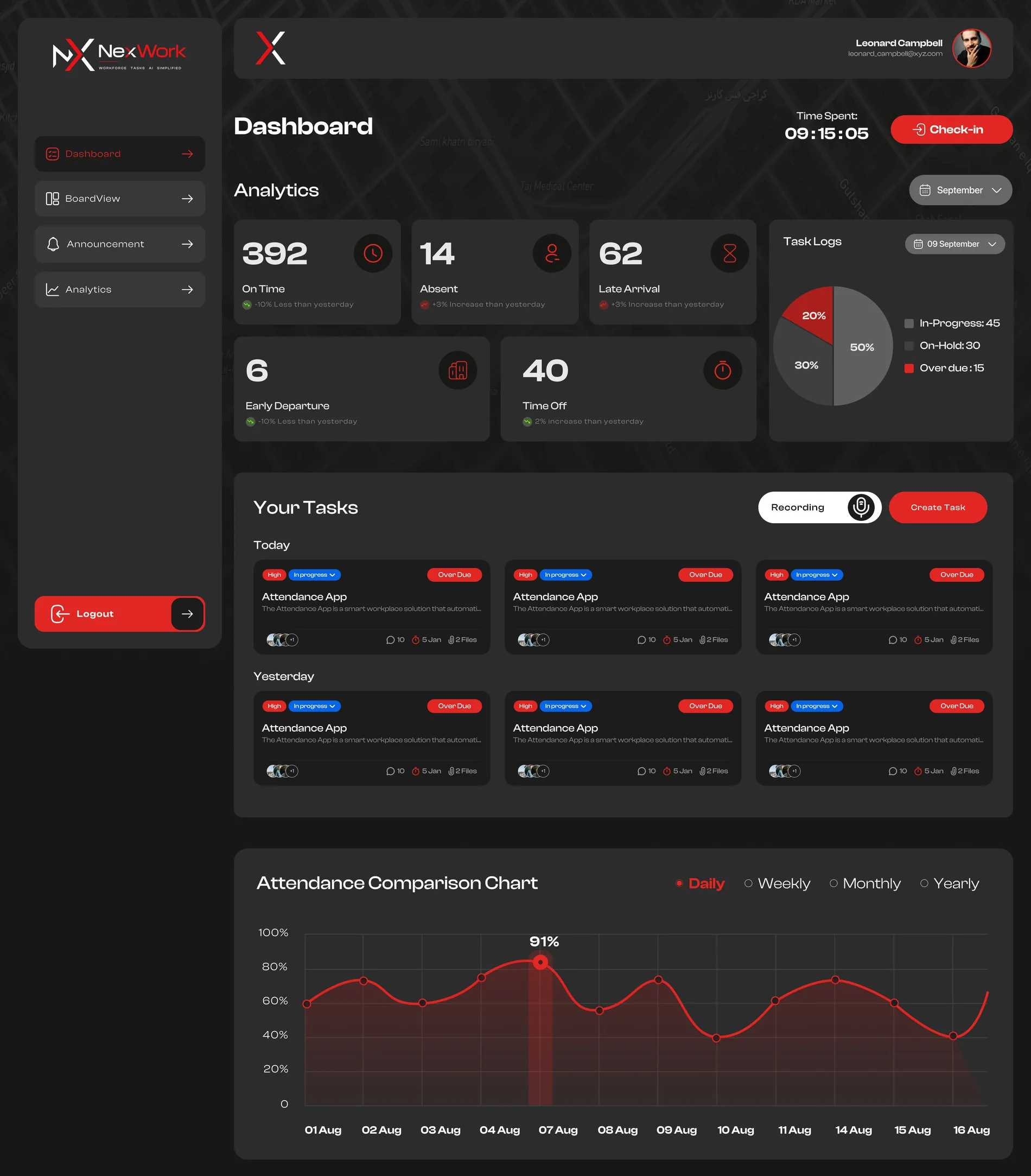
Admins and managers work the same record from a browser — attendance, the board, and the recorder, all in one place.
How it works

Three steps between talking and tracked work

The gap between deciding something and writing it down is where accountability goes missing. NexWork closes it with the thing your team already does.

STEP 1

Speak the whole update

One recording covers the blocker, the three follow-ups and who is taking the client call. No forms, no typing on a phone.

0:00

Hover to record

STEP 2

Review the split

NexWork breaks the recording into separate tasks with their own titles, priorities and due dates. Swipe away anything it misheard before anything is sent.

VOICE NOTE · 0:42
  • HighSend the Al-Noor quoteToday
  • LowBook the vendor callTue
  • HighFix the payroll exportThu

Hover to split

STEP 3

Assign in one tap

Route each task to the right person and send the whole set at once. It lands in their day flagged due today or overdue.

HighUnassignedIn progress
Fix the payroll export
Due Thu
Assigned to 3 people

Hover to assign

FAQ

The questions every buyer opens with

What happens when the voice split gets a task wrong?
Nothing is sent until you say so. The split is a review screen — every task can be edited or swiped away, and you can add one it missed, before you press Assign. Voice creates the draft; a person always approves it.
Does this replace our biometric attendance machine?
It does the job the machine does, from the web dashboard and the mobile app, and reports the same states you already report on — on time, late arrival, early departure, absent and time off. The difference is that the numbers move as the day happens instead of arriving as a spreadsheet at month end.
Who can hear a recording?
A recording is never assigned on its own. It becomes a set of draft tasks that the person who spoke reviews and approves, and from that point the tasks — not the audio — are what the team works from. Access follows the same roles as the rest of the workspace: people see their own record, admins see the organisation. Storage, retention and data residency are covered properly on the walkthrough, against your own policy.
Can each department run its own board?
Yes. People are added with a department and a role, attendance and leave are reported per department, and announcements can go to one department or the whole organisation. A faculty head or an ops lead sees their own team, not everyone.
Can employees see each other's attendance?
Employees see their own attendance record and the tasks assigned to or created by them. The organisation-wide employee table — every person's on-time, absent and late counts — sits in the admin portal, where it belongs.
Is it web, mobile, or both?
Both, and neither is the other cut down. The web dashboard is where admins run the organisation and managers work the board; the mobile app is where people check in, record, and answer on their task cards during the day.
Book a walkthrough

See one recording become a team's whole day

Thirty minutes on your own workflow — your departments, your shift rules, your stand-up. We run the voice split on a real recording, not a demo script.