Features

Everything NexWork helps you manage

Presence, progress and proof stop living in three different tools.

Live as the day happens

Attendance that moves in real time

Check in from the web dashboard or the phone. Every count on the board moves the moment someone does.

  • On time, absent, late arrival, early departure and time off — five states, each with a day-over-day change.
  • A running clock per person, sitting beside the check-in button on both web and mobile.
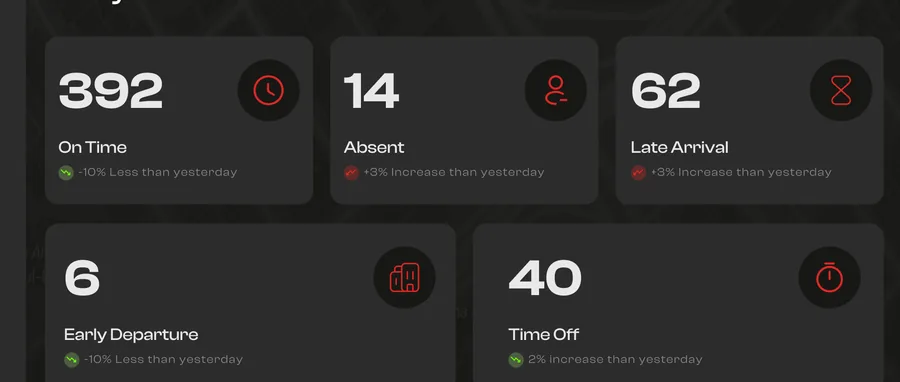
Attendance counters: 392 on time, 14 absent, 62 late arrival, 6 early departure and 40 time off.
Nothing without an owner

Every task tracked to completion

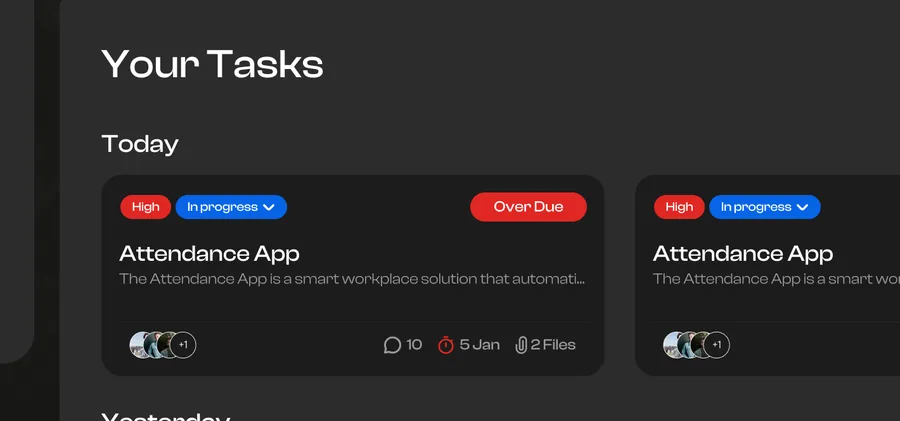
Priority, status, assignees, due date, files and the whole conversation live on one card — not in a chat thread.

  • In progress, on hold, due today and overdue — colour-coded, and changeable from the card itself.
  • Threaded comments with a mic in the composer, so an answer takes as long to give as it does to say.
Today's task cards, each with priority, status, assignees, comment count, due date and files.
Off paper for good

Leave that closes the loop

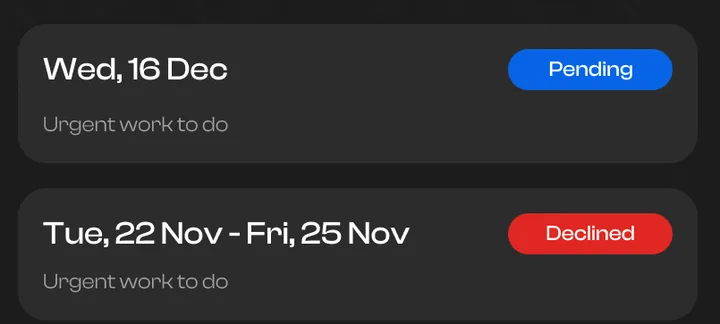
Staff apply in the app, and requests move through pending, approved and declined where both sides can see them.

  • Approvals routed to the right person, department by department.
  • Institutional holidays set once, in the calendar attendance is measured against.
Leave applications showing a pending request and a declined one, each with its dates.
While you can still act on it

Compare any period on one chart

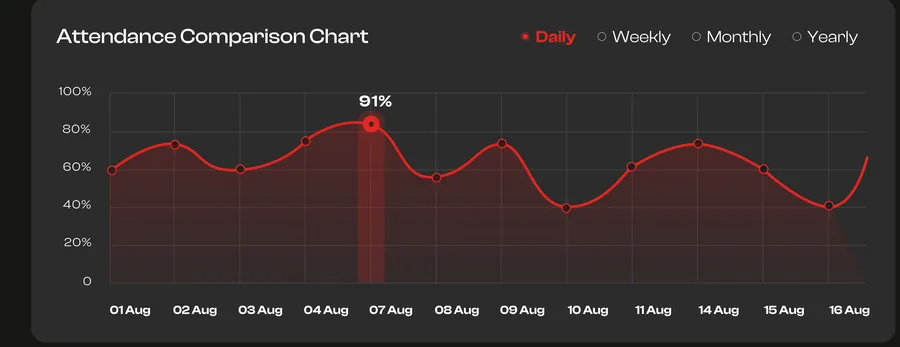
Daily, weekly, monthly or yearly attendance side by side, so a bad week is visible while there is still time to do something about it.

  • Department-level breakdowns, so a faculty head or ops lead reads only their own team.
  • The task log split across in progress, on hold and overdue, updating as the day runs.
Attendance comparison chart with daily, weekly, monthly and yearly views, peaking at 91 percent.
The whole organisation

Every person, every count, one table

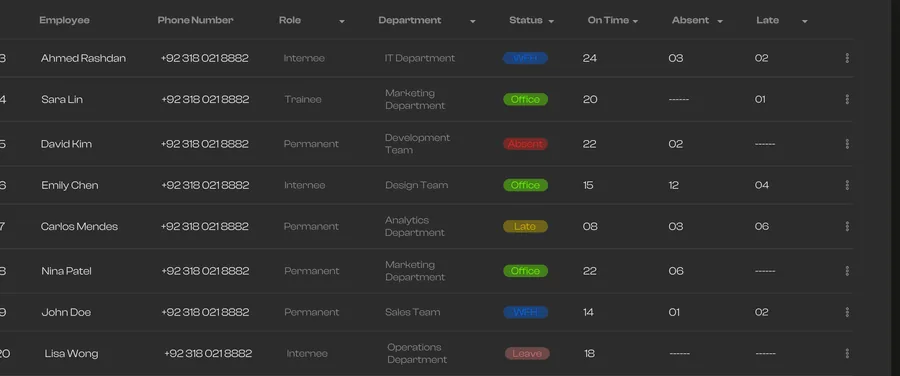
Status at a glance — office, remote, absent, late, on leave — with running on-time, absent and late counts beside every name.

  • Onboard in one form: name, department, role, contact and joining date.
  • Announcements to a single department or the entire organisation.
Employee table listing people with role, department, status and their on-time, absent and late counts.
Results

What you get on day one

Four things that are true of NexWork on the day you switch it on.

5
attendance states tracked, not just in and out
1
recording becomes a whole set of assigned tasks
2
apps — web and mobile — writing to one record
0
pieces of hardware to buy or install
Setup

Live in three steps, not three months

No hardware to install and nothing to migrate. Add your people and start the same day.

The admin employee table after onboarding, showing each person's department, status and attendance counts.
01

Add your people

Name, department, role, contact and joining date. Employee IDs and attendance records start the same day — no biometric hardware required.

02

Set the rules

Working hours, the holiday calendar attendance is measured against, and who approves leave for which department.

03

Check in and start talking

Staff check in from the app on day one. The first voice note turns into assigned tasks the same morning.

Book a walkthrough

See one recording become a team's whole day

Thirty minutes on your own workflow — your departments, your shift rules, your stand-up. We run the voice split on a real recording, not a demo script.